
You install a new AI assistant. You connect it to your calendar, your inbox, your task manager. For two weeks, you feel invincible.
Then you notice something uncomfortable. Your output hasn't changed. You've just moved the same work around faster.
I watched this happen to my own setup in early 2025. I'd wired four tools into a single chain: transcription, summarization, drafting, scheduling. The theory was beautiful. In practice, I was spending more time babysitting the outputs than I would have spent writing the things myself.
Here's what I learned after scrapping that system and rebuilding it from scratch: the productivity gain from AI tools comes almost entirely from how you segment your work, not from which tools you pick. Get the segmentation right and even a mediocre model earns its keep. Get it wrong and the best model on the market just helps you fail faster.
This is how I actually do it now.
Key Takeaways
- AI works best on the middle layer of your work — the translation between raw input and finished output, not the thinking or the final polish.
- The 30% rule: cap AI-generated content at roughly 30% of any deliverable that carries your name. Beyond that, quality control breaks down.
- Measure one thing: time-per-task-version, not time-per-day. Daily totals lie.
- A three-tool stack beats a nine-tool stack. Every connector you add is a failure point you'll debug at 11pm.
- Personal use and work use should be trained separately at first. The skills transfer, the context doesn't.
How can AI be used to improve workflow without turning your day into a maintenance project?
The honest answer is that most people use AI on the wrong part of their work.
They point it at the thinking — "write me a strategy for Q3" — and get generic mush. Or they point it at the very end, using it to proofread a document they already wrote, which saves maybe four minutes.
The real leverage sits in the middle. The translation layer. Everything that is mechanical but requires judgment: turning a 45-minute meeting into action items, converting a messy client email into a structured brief, transforming scattered notes into a first draft.
The three-layer model
Segment every task into three layers before you decide whether AI touches it.
- Layer 1 — Judgment. Deciding what matters. AI is bad here and will stay bad here.
- Layer 2 — Translation. Moving information between formats, languages, or levels of abstraction. This is where AI earns 80% of its value.
- Layer 3 — Polish. Final formatting, tone matching, last-pass editing. AI helps marginally.
I spent a full week in 2024 trying to force AI into Layer 1. I fed it my project priorities and asked it to rank them. The output sounded reasonable and was completely useless — it had no idea which client was about to churn, which deadline was soft, or which task I was avoiding because I hadn't decided something underneath it. That context lived in my head, not in a prompt.
Layer 2 is different. When I feed a two-hour workshop transcript into a model and ask for a structured summary with decisions and owners, I get something I'd have needed 40 minutes to produce manually. The model does it in about 90 seconds, and my job drops to a 5-minute review.
That's the ratio that matters: 40 minutes of work compressed into 6. Not "AI saves time." A specific task, a specific before-and-after.
What is the 30% rule for AI?
You've probably seen this floating around without a clear explanation. Here's the version that actually holds up in practice.

The 30% rule is a delegation ceiling: no more than roughly 30% of any deliverable that carries your name should be AI-generated text, code, or structure. Past that threshold, two things break at once.
First, your ability to verify collapses. You cannot properly check work you didn't substantially produce — you lose the mental model needed to spot the errors. Second, the output flattens. AI regresses toward the average, and 70% AI content reads like 100% AI content no matter how much you edit it.
Why 30% and not 50%?
Because the review burden isn't linear. If you write 50% and AI writes 50%, you still have to read and validate the entire document, and you no longer have the structural memory of what you meant in each paragraph. I tried a 60/40 split on a series of technical articles in 2024. The editing time went up, not down — roughly 2.5 hours per piece instead of 1.5. I was reverse-engineering a document I hadn't quite written.
At 30%, the math flips. You keep the skeleton, the argument, and the key sentences. AI fills the connective tissue — transitions, examples, formatting, the parts you'd have written on autopilot anyway.
| AI share of the deliverable | Review time multiplier | What it feels like |
|---|---|---|
| Under 20% | 1.0x — normal editing | You're editing your own work |
| ~30% | 1.2x | Slight overhead, clear net gain |
| ~50% | 1.8x | You're fact-checking a stranger |
| Above 70% | 2.5x or worse | You're rewriting, badly |
The exception is low-stakes internal content — meeting notes, sprint summaries, internal wikis. There, push to 70% and don't think twice. Nobody's reputation rides on a standup recap.
Building a workflow that survives contact with a real week
Most AI workflow advice assumes a calm Tuesday. Real weeks have three crises, two cancellations, and a fire drill. Your system has to hold up on the bad days, or you'll abandon it.
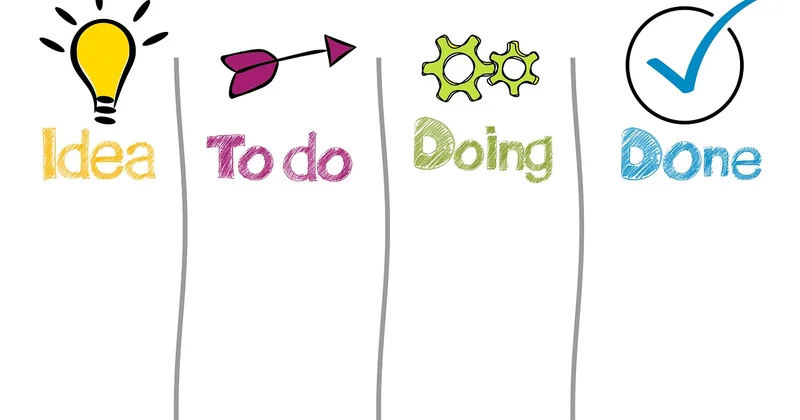
Mine is deliberately boring. Three tools, four steps.
Step 1: capture everything into one place
Voice memos, screenshots, half-finished thoughts. One inbox, no sorting at capture time. I use a single notes app and dump everything there — a 30-second voice note after a call, a pasted paragraph from a Slack thread, a photo of a whiteboard.
The discipline isn't in the tool. It's in refusing to organize while capturing. Organizing is a separate job and mixing the two kills both.
Step 2: run a daily translation pass
Once a day, 15 minutes. Take the raw dump and run it through a model with a fixed prompt: what decisions were made, what needs a reply, what's blocked, what can be deleted.
This is pure Layer 2 work. The model is a format converter, not a strategist. I get a clean action list out of chaos I generated myself.
One caveat I learned the hard way: never let the AI assign priorities on its own. It will mark everything as high priority because your input language contained urgency. Ask it to extract priorities you stated explicitly, not to infer them.
Step 3: draft in the model, edit in the document
Drafting and editing are different cognitive modes and should happen in different windows. I draft rough material in a chat interface, then move to a real editor for anything that matters.
Editing inside a chat window is a trap. You lose track of version history, you can't see the document as a whole, and you keep regenerating instead of fixing. I wasted weeks on this before I noticed I was producing four mediocre versions where one good edit would have done.
Step 4: close the loop weekly
Fifteen minutes on Friday. What did I delegate to AI this week? What came back usable, what came back junk? Adjust the split.
This is the step everyone skips, and it's the one that makes the whole thing compound. Without it, you're just running the same mediocre prompts forever.
How can I use AI to improve my daily life?
Personal use is where you build the instincts that later pay off at work — but only if you treat it as training rather than convenience.

Three uses that actually stuck for me, in order of value:
- Learning compression. When I need to understand a new domain fast, I ask a model to explain it at three levels of complexity, then I read the level I don't understand and look up the gaps.
- Decision framing. Not "what should I do" but "what are the three strongest arguments against what I'm about to do." The second prompt produces something worth reading; the first produces horoscopes.
- Administrative slog. Insurance forms, travel planning, comparing two contracts. Unglamorous, high-volume, and exactly the kind of work where a 40-minute task becomes 6.
What doesn't work: asking AI to make decisions for you. Every time I've done this — with a major purchase, a job offer, a move — I got a well-structured list of considerations I already knew. The value was zero. The illusion of progress was real, which is worse.
The free path actually works
You do not need to pay for a single tool to get most of the benefit. Free tiers of the major chat models handle translation-layer work fine. The paid tiers matter when you hit volume limits, need longer context, or want file handling.
My suggestion: spend nothing for the first month. Measure whether you're actually using the tool daily. If you are, upgrade. If you're not, the subscription won't fix it. I cancelled three subscriptions in 2025 that I'd been paying for out of vague optimism.
How to make $1000 a day using AI?
Let me be direct, because this question deserves a straight answer rather than a funnel.
The people I know who actually earn around $1,000 a day with AI tools are not running passive-income schemes. They're doing three things.
- Selling a service where AI cuts delivery time by more than half and they keep the pricing the same. Copywriting, translation, video editing, research briefs.
- Building a narrow product — a template pack, a niche tool, a paid newsletter — where AI handles production and a human handles positioning.
- Consulting for companies that bought AI tools and can't get their teams to use them. In 2026 this is a bigger market than it sounds.
What these have in common: the money comes from a real client problem, and AI is the margin, not the product. The "make $1000 a day with AI" content you'll find online mostly sells courses about making $1000 a day selling courses about AI.
The realistic version. Pick one service you already understand. Cut your delivery time with Layer 2 automation. Take on two or three clients you couldn't have handled before. That's how the number becomes reachable — not through a prompt, through capacity.
Where this goes wrong
Two failure modes I see constantly, including in my own early attempts.
Tool-hoarding. Every new AI app promises to fix the mess the last one made. Nine connectors, four dashboards, zero finished work. Cut your stack to three tools and stay there for a quarter.
Prompt-tweaking as procrastination. Spending an hour refining a prompt to save ten minutes is a net loss, and it feels like productivity. Set a hard limit: if a prompt isn't working after three attempts, the task isn't a Layer 2 task. Do it yourself.
And the one nobody warns you about — skill atrophy. The translation layer is also where you learn to think clearly about your own work. Delegate all of it for a year and you'll notice the muscle is gone. I did, around month eight. I could still produce, but the intermediate reasoning felt thinner.
The 30% ceiling exists for that reason as much as for quality control. Keep the judgment layer yours. Keep a real share of the writing. Let the machines handle the distance between a mess and a document.
That's the whole system. Not impressive, not passive, and it holds up on the bad weeks — which is the only test that matters.