You're sitting in a hotel lobby in a city you don't know, and the Wi-Fi network is called "Hotel_Guest_Free." No password. That should tell you something. Every packet your laptop sends across that network—every login, every email, every credit card number you type—is potentially visible to anyone else on the same connection with a five-dollar piece of software. Most people click "connect" without a second thought. I used to be one of them.
That's usually the moment someone starts wondering how to set up a VPN. Not because they read a security blog, but because something felt off. Good instinct. By the end of this piece you'll know what a VPN actually does (not the marketing version), how to get one running on your phone and laptop in under ten minutes, and—more importantly—whether you're the kind of person who genuinely needs one.
Key Takeaways
- A VPN encrypts your traffic and hides your IP address by routing everything through a server run by someone else.
- Setup is genuinely simple: install an app, log in, flip a switch. The hard part is choosing a provider you can trust.
- Free VPNs almost always pay for themselves by selling your browsing data. That's not paranoia, it's their business model.
- VPNs slow your connection down. On a good paid service, expect a small drop; on a bad one, it can crawl.
- You don't need a VPN at home on your own Wi-Fi for everyday browsing. You do need one on public networks or when you want to appear in another country.
- Self-hosting a VPN server is possible and cheap, but it's a weekend project, not a five-minute task.
What a VPN actually does and why you might need one
Strip away the marketing and a VPN does two things. It creates an encrypted tunnel between your device and a server somewhere else in the world, and it makes your traffic appear to come from that server instead of from you. That's it. Everything else—"military-grade encryption," "bank-level security"—is describing those two mechanics with fancier words.
Here's the part people miss. A VPN doesn't make you anonymous. It moves the trust. Before, you trusted the hotel Wi-Fi, your internet provider, and every site you visited to behave. After, you trust the VPN company. If that company logs your activity and hands it over, or sells it, you've gained nothing and added a middleman.
The three situations where it earns its keep
I'll be direct about this, because the internet is full of breathless articles telling you a VPN is essential for everything. It isn't. There are three scenarios where it genuinely matters:
- Public Wi-Fi. Airports, cafés, hotels. The network is shared, often unencrypted, and you have no idea who else is on it.
- Gaming or streaming across regions. If a service is geo-blocked where you live, routing through another country is the whole point.
- Working from somewhere you don't control—a client's office, a co-working space, a rental apartment with a router you've never seen.
Notice what's not on that list: browsing the web at home. If you're on your own encrypted Wi-Fi, using HTTPS sites (which is most of them now), a VPN adds very little for everyday use.
What does a VPN do and why do I need one?
A VPN hides your IP address and encrypts your connection so that the network you're on—and anyone watching it—can't see what you're doing or where you're going. You need one when you're on a network you don't trust, when you want to appear to be in a different country, or when your employer requires it to reach internal systems. If none of those apply, you probably don't need one today.
How to set up a VPN in about ten minutes
The setup process is the least interesting part of this whole topic, which is exactly why so many guides over-complicate it. There are really only two paths: use a commercial provider's app, or build your own server. Start with the first.
Option 1: the app-based route
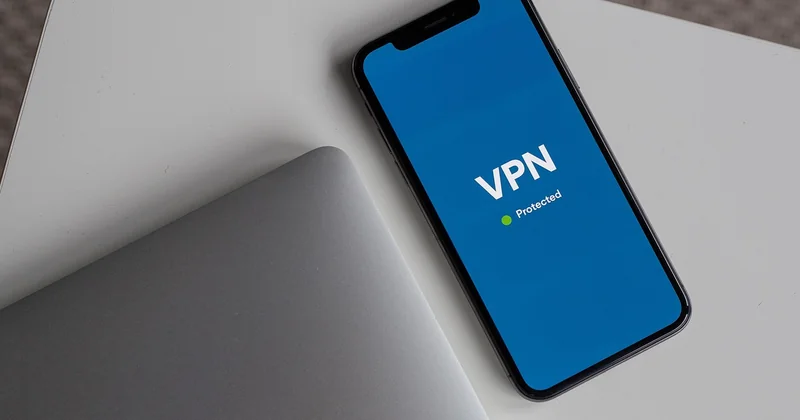
This is what 95% of people should do. Pick a provider, install their app on each device, log in once, and you're done.
- Choose a provider and subscribe. A reputable paid service runs somewhere between a few dollars and roughly the price of two coffees per month, depending on the plan length.
- Download the official app from the provider's site or your device's app store. Never from a random link in a forum.
- Log in with the credentials you created. Most apps let you connect several devices on one account.
- Pick a server location. Closest is usually fastest. A specific country is what you'd choose for streaming or geo-restricted content.
- Flip the switch. That's the whole thing.
On most services, the app can also be set to connect automatically whenever you join an unknown network, which is the setting I'd turn on first if I were you. It removes the need to remember.
Option 2: running your own server
This is the setup people mean when they search for how to set up a VPN server. You rent a small virtual machine from a cloud host for a few dollars a month, install an open-source VPN package on it, and connect your devices to it. The appeal is real: you're the only user, so nobody else's traffic shares your server, and no company is logging your activity because there is no company.
The catch is equally real. You're now the administrator. If the server goes down at midnight, that's your problem. You need to keep it patched. And you don't get the convenience features a commercial app provides—no one-click country switching, no automatic reconnect on sketchy networks unless you configure it. I set one up myself early on, spent most of a weekend on it, and used it for about a month before going back to a paid service. Convenience won.
How to connect to a VPN on a laptop
On a laptop, the commercial app works exactly like it does on a phone: install, log in, click connect. If your provider gives you manual configuration details instead—a server address, a username, and a shared secret—your operating system has a built-in VPN client under network settings where you enter those values once and then connect with a click. Both Windows and macOS ship with this; you just need the connection details from your provider.
How to use a VPN on Android
Android has native VPN support baked into settings, which means any provider's app or a manual configuration will slot straight in. The critical Android-specific tip: check the "always-on VPN" and "block connections without VPN" options in your network settings. That way, if the tunnel drops, your traffic stops rather than silently falling back to the unencrypted connection. I've seen that setting save people from leaking data mid-session more than once.
What is the downside of having a VPN?
Plenty. The honest answer is that a VPN trades one set of problems for another, and you should know which ones you're signing up for.
Speed. Your traffic takes a detour. Instead of going straight to a website, it travels to the VPN server first, then onward. That extra hop costs time. On a good paid service with a nearby server, you might not notice. On a crowded free service or a server on the other side of the planet, it can be brutal.
Trust. You are handing all your traffic to a single company and hoping they're honest. Some have been caught logging activity they claimed not to log. This is why provider reputation matters more than any feature list.
Cost. The good ones aren't free. You're paying for servers, bandwidth, and—ideally—a business that doesn't need to monetize your data to survive.
Friction. Captchas everywhere, because sites see a VPN IP address and assume you're a bot. Bank and streaming sites sometimes block VPN connections outright.
And there's a subtler downside: a false sense of security. A VPN protects the connection. It does nothing about a phishing page, a malicious download, or a weak password. It's one layer, not a force field.
Is it free to set up a VPN?
It can be, but "free" almost always means you're the product. Free VPN apps have to pay for servers and bandwidth somehow, and when you're not paying, the money comes from somewhere else—usually advertising, data collection, or both. A handful of reputable providers offer a genuinely limited free tier (a data cap, one or two server locations), which is fine for occasional use. What you should avoid is an unknown free app that asks for broad device permissions. Self-hosting your own server isn't free either—you're paying a few dollars a month for the machine—but it's the closest thing to a no-strings option.
Does a normal person need a VPN?
Honestly? Not always. If you work from home, use your own Wi-Fi, and mostly visit mainstream sites, the practical benefit for you is small. The threat a VPN addresses—someone snooping on the network between you and the destination—barely exists on a home connection you control, and HTTPS already encrypts the content of most of what you do.
Where the calculus changes is mobility. If you travel, work from cafés, or use public networks regularly, a VPN stops being optional. And if you care about not having your browsing habits tied to your home IP address by your internet provider, that's a legitimate reason too—just be clear that you're shifting trust to the VPN company, not eliminating it.
| Your situation | VPN needed? | Why |
|---|---|---|
| Home Wi-Fi, everyday browsing | Not really | You control the network; HTTPS covers most content |
| Frequent public Wi-Fi (cafés, airports, hotels) | Yes | Shared, often unencrypted networks expose your traffic |
| Streaming or gaming across regions | Yes, if you want that content | Geo-restrictions are based on IP location |
| Remote access to work systems | Yes, usually mandatory | Your employer's network requires it |
| Just want general privacy from your ISP | Optional | It works, but you're trading one trusted party for another |
A quick reality check on streaming
Every guide promises you'll unlock another country's Netflix library. In practice, it's a cat-and-mouse game. Streaming services actively detect and block VPN IP addresses, and a server that worked last month may be blocked this month. Some providers maintain dedicated streaming servers that work more reliably; most don't. If streaming is your main reason, test the specific service you care about before committing to a yearly plan—and check whether the provider offers a refund window.
Choosing a provider without getting burned
I've tried a handful over the years, and the difference between a good one and a bad one has nothing to do with encryption buzzwords—they all use the same strong ciphers. It comes down to three things: whether they keep logs, how fast their servers are where you actually are, and whether the app gets out of your way.
On logging specifically: the meaningful claim is an independently audited no-logs policy. "We don't log" without an audit is a marketing line. If a provider won't submit to an outside review of that claim, treat it as unverified.
A few practical rules I follow now, after getting this wrong more than once:
- Pay month-to-month for the first cycle, even if the yearly plan is cheaper. Test it before you commit.
- Check the refund policy before you buy, not after.
- Look for a kill switch—the feature that cuts your connection if the tunnel drops—and turn it on.
- Ignore the server-count arms race. Ten thousand servers means nothing if none are near you.
One more thing worth saying plainly: there's no single best VPN, and anyone telling you otherwise is either selling something or repeating a review they didn't test. The right choice depends on where you live, what you're trying to do, and how much you're willing to pay. What works for a traveler in Asia may be a poor fit for someone in Europe trying to stream a specific show.
Here's what I've landed on, and it's the thought I'd leave you with: the most useful thing a VPN gave me wasn't anonymity or access to some blocked library. It was the habit of noticing where my traffic was going. Once you understand that a VPN just reroutes your connection through a machine someone else controls, you start asking better questions about every network you join. That awareness is worth more than any subscription. So before you buy anything, ask yourself which of those three situations you're actually in—because if you're none of them, the smartest setup is the one you don't need yet.