CPU cores and threads explained: what actually happens when you click a button
You open Task Manager because your laptop is crawling. Chrome is chewing 40% of the processor, some background updater is fighting for scraps, and the graph jumps around like it's panicking. Then you look at the specs sheet and see something like "8 cores, 16 threads". So which number matters? Is 16 better than 8? Are threads real?
I'll be honest: I ignored this distinction for years. I bought a machine because the number was bigger and the price felt reasonable, and I only started caring when a specific workload—running three virtual machines at once—turned my "fast" laptop into a space heater. That's when CPU cores and threads stopped being spec-sheet decoration for me.
So here's the whole thing explained without the marketing fog.
Key Takeaways
- A core is a physical processing unit inside the CPU. It can genuinely execute one instruction stream at a time.
- A thread is a logical execution path. With SMT (Hyper-Threading on Intel chips), one physical core presents two threads to the operating system.
- Two threads on one core are not two cores. They share the same physical resources, so the gain is real but partial.
- For most everyday work—browsing, office files, streaming—4 to 6 cores is plenty, and the thread count barely matters.
- For gaming, per-core speed usually beats core count beyond a certain point.
- For video editing, compiling code, or running virtual machines, core count starts to matter a lot.
What are CPU cores, really?
A core is a complete little worker. It has its own arithmetic logic unit, its own registers, its own cache slices, and it can fetch, decode and execute instructions on its own. If you want a no-nonsense mental image, picture a kitchen: each core is one cook with one cutting board.
For a long time, chips had exactly one core. The industry solved performance by cranking up clock speed—2 GHz, 3 GHz, 4 GHz. That worked until it didn't. Around the mid-2000s, pushing clocks higher ran into a wall of heat and power consumption that engineers couldn't buy their way out of. So instead of making one cook faster, manufacturers started hiring more cooks.
Why did we stop chasing clock speed?
Because physics doesn't negotiate. Higher frequency means more voltage, and more voltage means heat that gets exponentially harder to remove. Doubling the clock roughly quadruples the power draw in a lot of real designs. Putting two, four, or sixteen modest-speed cores on a die turned out to be the cheaper path.
This is also why a modern 3.5 GHz chip can feel dramatically faster than a 3.5 GHz chip from a decade ago. Same clock, vastly more work done per clock cycle—and far more cores to spread the load across.
What are CPU threads?
Here's where the confusion usually starts. Suppose I ask you to write 8 cores and 16 threads. There is no hidden drawer in the CPU with eight extra miniature cores. What's actually happening is called SMT—Simultaneous Multithreading. Intel markets it as Hyper-Threading; AMD uses the term SMT too.
A core executing a single instruction stream spends a surprising amount of time waiting. Waiting for data to arrive from main memory. Waiting because a branch prediction guessed wrong. Waiting on a cache miss. During those stalled cycles, the execution units sit idle.
SMT fixes that by giving the core a second, independent instruction stream to work on. When thread A stalls, the core picks up thread B. Same cook, but now they're switching between two recipes during downtime instead of standing around.
So do threads double performance?
No. And anyone who tells you otherwise is selling you something.
Depending on the workload, SMT typically buys somewhere in the region of 15% to 30% extra throughput, not 100%. If the two threads are fighting for the same execution units—heavy floating-point math, for instance—the benefit shrinks toward nothing. If one thread is memory-bound and the other is compute-bound, the gain can be closer to the optimistic end. The scheduling is done by the hardware, and you don't get to control it.
One practical detail worth knowing: the operating system sees 16 threads and schedules work across them, unaware that eight of those pairs share silicon. To Windows, Linux, or macOS, those look like 16 logical processors.
Cores vs threads vs logical processors: same thing?
Not quite, and the terminology trips people up constantly.
- Physical cores — the actual hardware units on the die.
- Threads — the execution streams a core can juggle through SMT.
- Logical processors — what the operating system enumerates. On an SMT-enabled chip, this equals core count multiplied by threads per core.
- A 6-core, 12-thread CPU therefore reports 12 logical processors.
If you disable SMT in the BIOS—which some people do for specific workloads—the logical processor count drops back to the physical core count. That's the cleanest way to see the difference for yourself.
Cores vs threads: the honest comparison
I built this table after spending an afternoon comparing the machines I actually use day to day. The pattern held up every time.
| Physical core | Thread (with SMT) | |
|---|---|---|
| What it is | Real hardware unit with its own execution resources | Logical execution stream presented to the OS |
| Performance impact | Adds a full worker; near-linear gains on parallel tasks | 15–30% throughput on mixed workloads, sometimes less |
| Resource sharing | Independent caches and pipelines | Shares everything with its sibling thread |
| Visible in Task Manager | Not directly—only via logical processor count | Each thread appears as a separate graph |
| Best for | Rendering, compiling, VMs, any heavily parallel job | Filling idle cycles during memory stalls |
| Worst case | Single-threaded code that can't use the extra cores | Two compute-heavy threads on one core fighting for units |
The takeaway from that table isn't "cores good, threads bad." It's that the two numbers answer different questions. Core count tells you how much genuinely parallel work is possible. Thread count tells you how well the chip hides latency.
How many cores and threads do you actually need?
This is the question that costs people the most money, in both directions. I've watched colleagues overspend on a 16-core workstation to run spreadsheets, and I've watched people buy a 4-core budget machine and then wonder why their video exports take two hours.
Some rough anchors, based on what I've used and measured:
- 4 cores / 8 threads — comfortable for browsing, documents, video calls, light photo editing. Honestly still fine for most people in 2026.
- 6 cores / 12 threads — the sweet spot for most users. Handles gaming, moderate multitasking, and occasional video work without complaint.
- 8 cores / 16 threads — where editors, streamers, and developers start feeling genuinely at home.
- 12 to 16 cores and beyond — heavy rendering, code compilation at scale, multiple VMs, or a workstation that runs simulations overnight.
Notice what I didn't say: more is always better. It isn't. Two things quietly cap the benefit of extra cores.
The two limits nobody mentions
First, Amdahl's law. If a task has a serial portion that can't be parallelised, adding cores has a ceiling. Ten percent serial code caps your maximum speedup at ten times, no matter how many cores you throw at it.
Second, and more mundane: the scheduler. Software has to actually be written to use multiple threads. Plenty of applications still lean heavily on one or two threads, and on those, a 6-core chip with fast cores will beat a 16-core chip with slower ones. I learned this the expensive way on a build where I optimised for core count and watched a single-threaded tool run slower than on my old machine.
CPU threads vs cores for gaming
Gaming is its own case, and the advice differs from the productivity world.
Most games are still latency-sensitive and lean on a small number of threads—often one primary thread handling the main game loop. That thread's speed determines your frame rate ceiling more than your core count does. A 6-core, 12-thread chip with strong single-core performance will frequently outperform an 8-core part with weaker per-core throughput.
Where extra cores and threads help in games is background work. Streaming, recording, Discord, browser tabs, and voice chat all compete for CPU time. If the game has spare cores to push those onto, frame pacing stays smoother. This is why the practical recommendation for gaming has hovered around 6 to 8 cores for a while now—enough headroom for the game plus everything around it.
Beyond that, you're mostly paying for cores the game will never use.
How many threads per Core i7?
It depends on the specific generation, because Intel has changed this repeatedly.
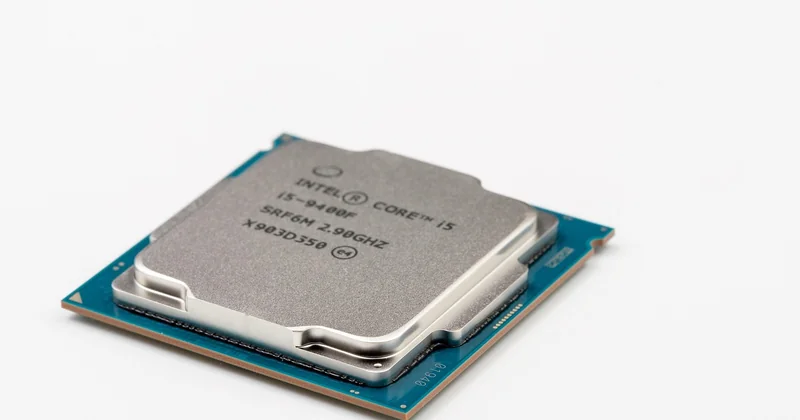
Historically, mainstream Core i7 desktop chips shipped with Hyper-Threading enabled, giving you two threads per core—so a 4-core i7 exposed 8 threads, and an 8-core i7 exposed 16. On some recent generations, Intel removed Hyper-Threading from certain models entirely, so a chip with more cores may show the same thread count as its core count. Meanwhile, the efficiency-core and performance-core split on newer designs adds another layer: not every core on the die is identical.
If you want the exact figure for a specific chip, the reliable move is to check the manufacturer's own specification page rather than assume. The naming convention alone won't tell you.
Does more threads always mean better multitasking?
No. Threads improve how well a core hides memory latency, so a chip with SMT enabled feels snappier when many light tasks compete for attention. But if the tasks are compute-heavy, the sibling threads contend for the same execution units and the advantage shrinks. Two physical cores remain better than one core with two threads.
Should I disable SMT for gaming?
There's a persistent myth that turning SMT off improves gaming performance. In practice, on modern chips, the difference is usually within measurement noise, and you lose the multitasking headroom. I tested it on my own machine and saw no consistent gain. Keep it on unless you have a specific, documented reason.
Reading a spec sheet without getting fooled
Next time you're comparing two machines, ignore the headline number and ask three questions in order.
- How many physical cores? This is the real parallel capacity.
- How fast is a single core? For games and most everyday software, this matters more than you'd expect.
- Does the workload actually use many threads? If not, the extra cores are decoration.
And one quiet piece of advice from someone who has bought the wrong laptop more than once: if you're not sure, buy for the workload you have now, not the one you imagine. The spec sheet that looks modest today will still open your emails in four years.
What surprises me, after all this, is how little the numbers actually explain. A 6-core chip and a 16-core chip can feel identical for weeks, until one specific task—one export, one compile, one virtual machine—makes the difference suddenly obvious. The specs aren't a score. They're a hint about which bottleneck you'll hit first.